
Password managers: using browsers and apps to safely store your passwords
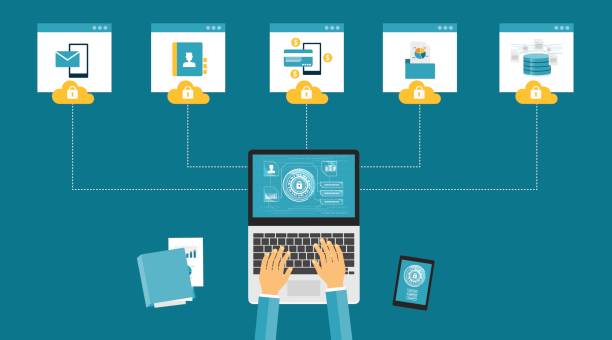
Do you need assistance remembering all of your passwords? Save them to your browser or use a password manager.
We are frequently advised to create extremely strong passwords for our online accounts and to avoid using the same password across all platforms. Particularly for those crucial accounts like social networking, banking, email, and shopping.
The issue is that most of us have several internet accounts, making it difficult to remember and create unique passwords for each one.
A password manager might be useful in this situation. You don’t need to worry about remembering your passwords because they may be safely stored in a password manager or web browser. Instead of using the same password for all of your essential accounts, which is something you should never do, this enables you to create strong, one-of-a-kind passwords for each of them.
Watch a short video on securing your email account:
Saving passwords in your browser
The majority of web browsers, including Chrome, Safari, and Edge, will offer to store your online accounts for you when you log in. You may do this on your own device without risk.

Browsers such as Safari and Chrome will ask before saving your password
- Note you should always make sure you are using the latest version of your browser (and operating system), and you should keep this up to date..
Saving passwords on shared computers
If you’re using a shared computer outside your home (for instance, at a college or library) you should never save your password in a browser.
If you share a computer in your home with relatives or roommates, you will need to consider who else may have access to the computer (and, consequently, your saved passwords) and choose if you are OK with this. The most secure way to:
- Ensure that every individual has a unique account on the shared computer.
- Ensure that everyone signs off after using it for the last time.
The following links can be used to get assistance with creating and utilizing accounts on the same computer:
Using password managers
An application on your computer, tablet, or phone that saves your passwords so you don’t have to remember them is called a password manager. The password manager will create and remember your passwords for all of your online accounts after you’ve signed in using a “master” password. You don’t even need to write your passwords each time you log in because many password managers can automatically insert them into websites and apps.
There are several password managers available, many of which are free to use if you agree to certain restrictions. Therefore, it’s worthwhile to go through internet evaluations and select one that satisfies your needs. Additionally, the CSSA offers some technical advice about the security characteristics you might wish to take into account while making your selection.
You can use Keychain, an operating system-integrated password manager, if you use MacOS.
Protecting your password managers
It is important to take steps to protect your password manager account, for the following reasons:
- You won’t be able to access your accounts again if you forget your password manager’s “master” password.
- A cybercriminal will have access to all of your accounts if they manage to get into your password management account.
CYBERSECURITY SMART AWARENESS
Follow us
USEFUL LINKS
GCHQ
MI5
SIS
NPSA
ABOUT CSSA
What we do
What is cyber security?
Equality, diversity and inclusion
Incident management
Leadership team
Careers
ABOUT THIS WEBSITE
Privacy notice
Cookies
Accessibility
Terms & conditions
Social media policy